
The Daily Carnage
The savvy marketer's hub for industry news, insights, resources, and culture.
Issues
View All
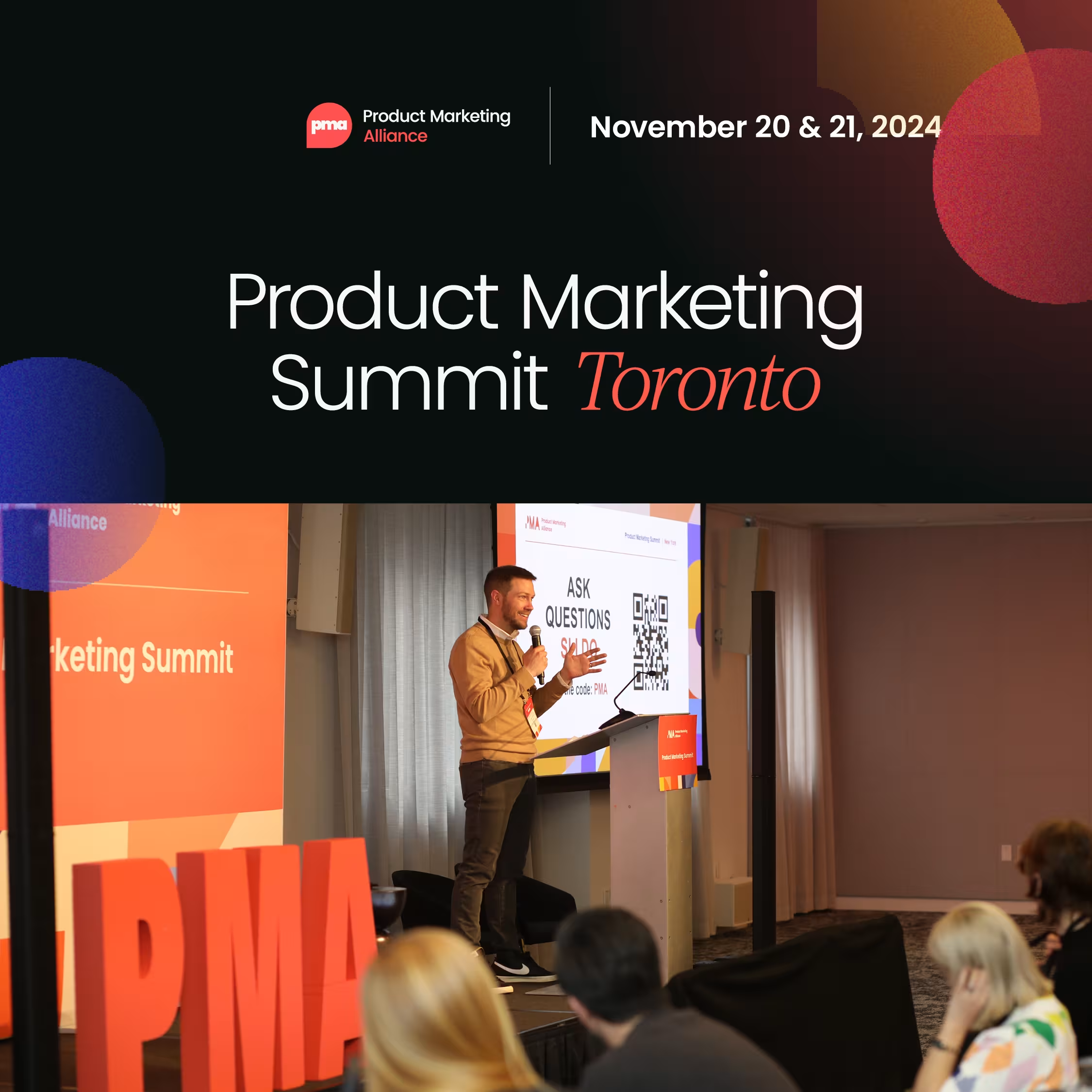
Attend Product Marketing Summit in Toronto
Get in a room with PMM experts as they reveal case studies, best practices, and common challenges to help you get up-to-date with the latest industry trends and innovations and share the skills you need to accelerate your career.
Product Marketing Summit hits Toronto on November 20 & 21 and you won’t want to miss the chance to increase product adoption, drive revenue growth and enhance customer satisfaction.
Leaders from Microsoft, Copper, D2L, Planful & many more will help you:
- Measure the impact of product marketing and prove your strategic value with impactful KPIs.
- Network with industry titans.
- Increase efficiency, productivity, and competitiveness by harnessing the power of AI and automation.
…and it doesn’t stop there.
Want to know more? Grab your free brochure.
Daily Carnage readers also save 15% on your ticket today using the code ‘CARNEY15’ at checkout.
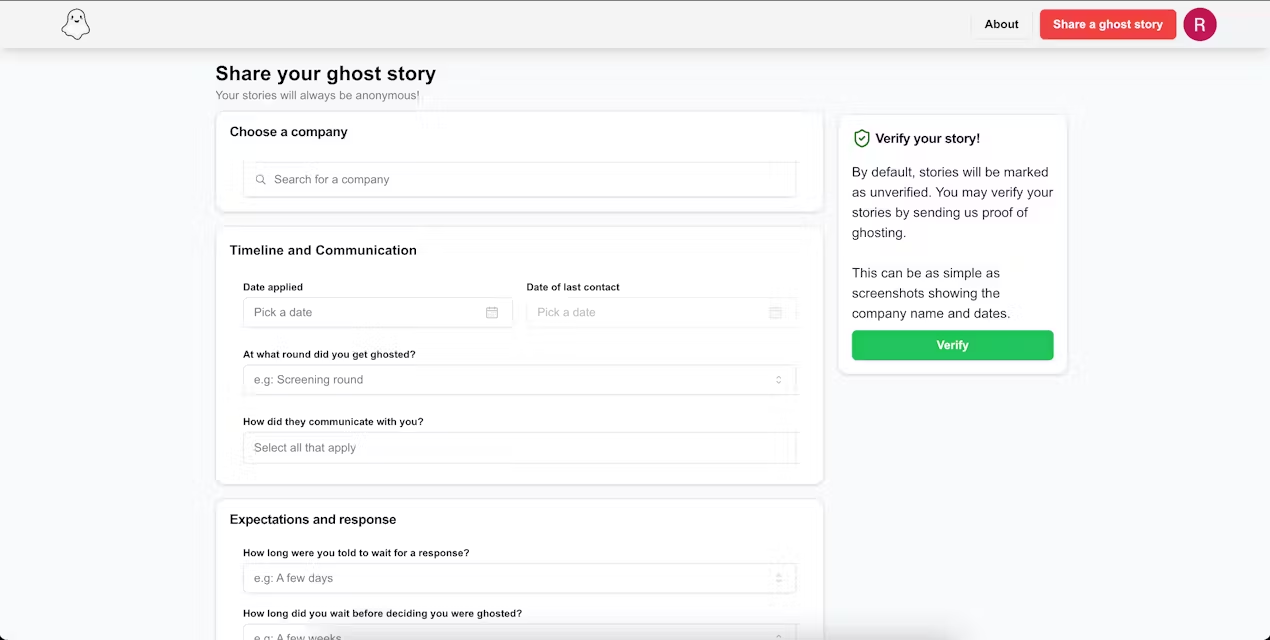
Ghostedd
👀 Sponsor this spot to share your product or service with our community.
Been there.
Ghostedd is a place to publicly shame companies for brutally ghosting you during your job search.
The platform is in its infancy, but we love the concept of holding recruiters and companies accountable when they ignore your follow-ups after several intensive stages of the interview process.
Hope you don’t need it, but just in case.
SimpleLogin
👀 Sponsor this spot to share your product or service with our community.
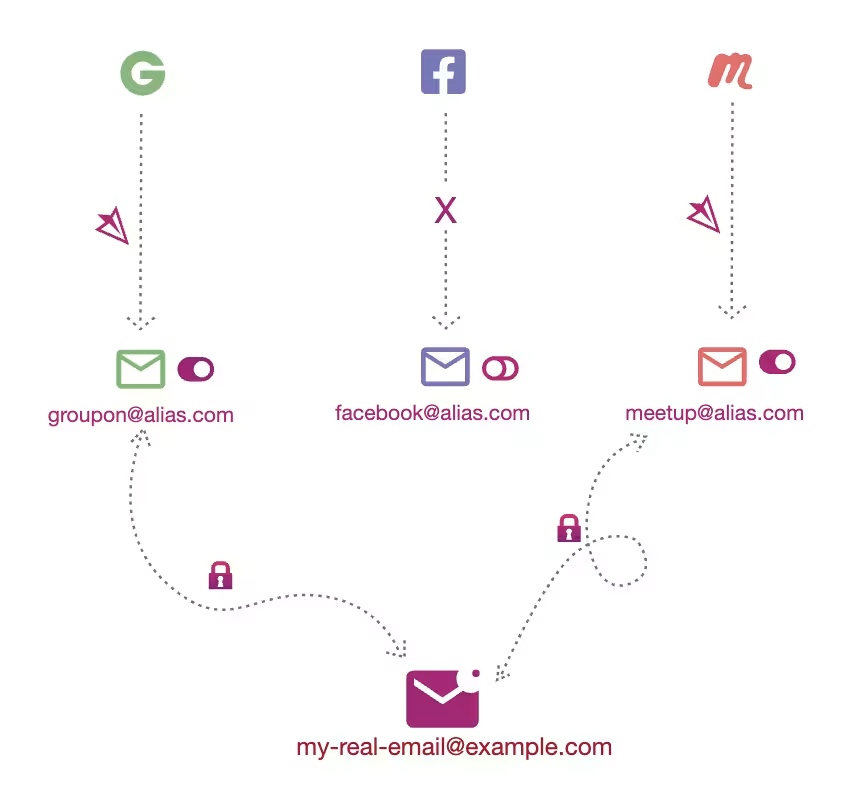
Protect your inbox from crummy spam and stinky phish.
Instead of giving out your real email address, use an alias when signing up around the web. Anything that gets sent to your alias will be instantly forwarded to you.
When you hit reply, it’ll send from your alias. No one will ever know!

Adsby
👀 Sponsor this spot to share your product or service with our community.
This one is a powerful assist for Google Ads beginners and experts alike.
Adsby’s AI suggests keywords, filters out negatives, crafts high-performing campaigns, and optimizes them weekly to ensure that you’re not waiting budget on irrelevant clicks.
You can start testing with a free 7-day trial.

Future You
👀 Sponsor this spot to share your content with our community.
Future You is a web-based platform that lets you chat with a personalized version of your future self.
Ok, stay with us.
It doesn’t tell the future. Rather, the AI serves as a compassionate conversation partner based on information you provide about yourself.
For example, in a study, users experienced reduced anxiety and a stronger connection to their future selves.
According to the MIT scientists behind Future You, by establishing your future self-continuity, you enhance your long-term thinking, academic performance, financial savings, and mental health and wellbeing.

ClipAnything
👀 Sponsor this spot to share your product or service with our community.
Search for any moment in any video based on visuals, people, audio, sentiment, and speech—instead of watching and chopping hours of footage yourself.
Then, clean up your clip in the web-based video editor. Scale up your social video production for podcasts, webinars, interviews, product demos, and more.
Canvid
👀 Sponsor this spot to share your product or service with our community.
We love you, too, Windows users. This one’s for you.
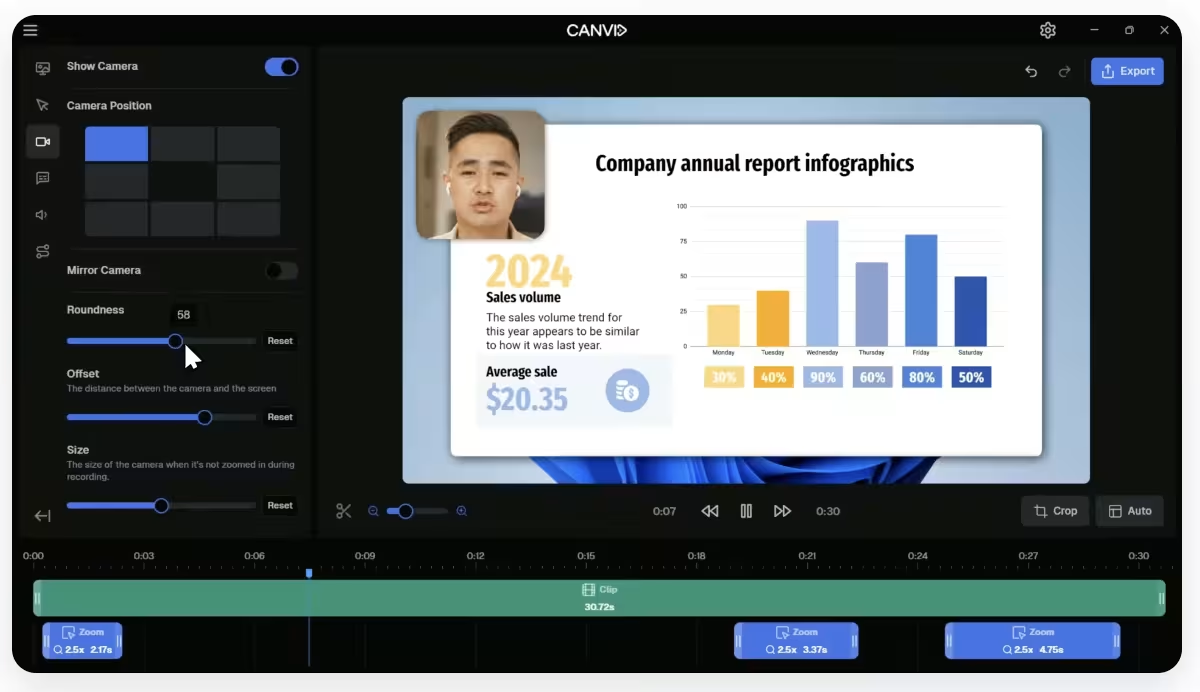
Canvid is a screen recording tool that lets you:
- Record your entire screen or specific windows.
- Use automatic or manual zoom to highlight key areas.
- Save videos locally, upload to the cloud, or share them with a link.
- Choose MP4, GIF, and more, plus adjust quality from standard to 4K.
- Crop, change layout, and zoom for polished recordings.
- Highlight words to create easy-to-follow transcripts.
It’s perfect for demos, tutorials, presentations, and educational videos.
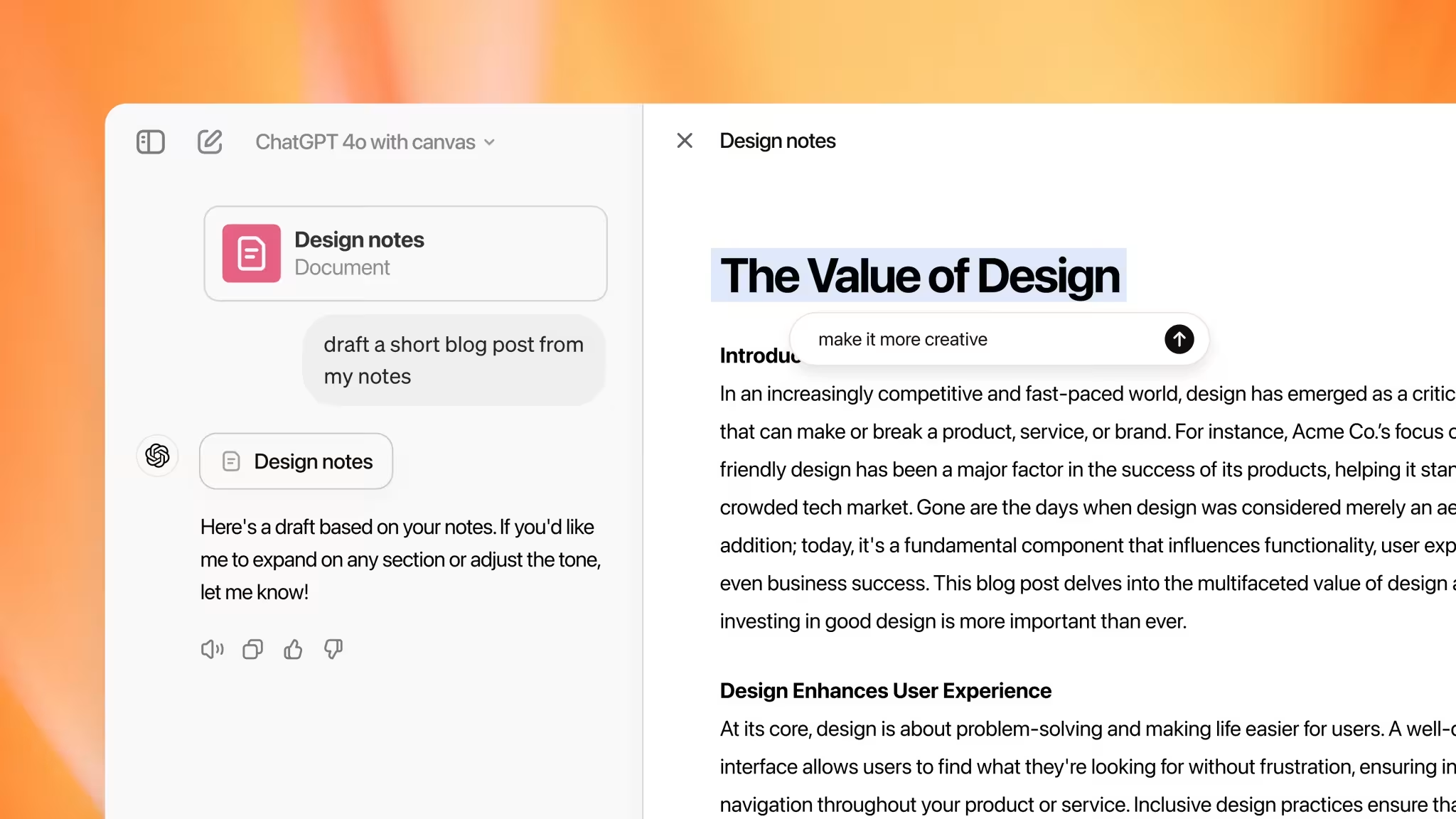
ChatGPT Canvas
👀 Sponsor this spot to share your product or service with our community.
The chatbot interface era has been fun.
But now that genAI has the capacity for more sophisticated editing, it’s to rethink how we interact with it.
Canvas is ChatGPT’s new interface for collaborative writing and coding, offering a side-by-side workspace for refining projects.
Highlighted, in-line feedback, targeted edits, and context-aware suggestions make collaboration easier. Plus, there are new shortcut tools for adjusting text length, setting reading level, adding emojis, and more.
With improved feedback quality, Canvas is trained to be more of a creative partner to your projects. Right now, it’s available to ChatGPT Plus and Teams users.

NotebookLM
👀 Sponsor this spot to share your product or service with our community.
If you’re managing large datasets for a project, try uploading your sources to Google Labs’ NotebookLM in order to:
- Ask follow-up questions; NotebookLM will cite relevant quotes from the experts in your material.
- Generate study guides, briefing documents, and summaries.
- Turn your documents into deep-dive audio discussions between two bantering AI hosts.
This is a dynamic and interactive way for the busy researcher to better understand source material.
Insights
View AllMarketing5 MIN READ

Top Marketing Tools That Offer Nonprofit Discounts (2026)
Rich O'Donnell
Strategy4 MIN READ

Sharpen Your Core Skills: Listening, Remembering, and Note Taking
Rich O'Donnell
Uncategorized4 MIN READ

Dialogues: Kimberly Bailey, Head of Marketing at Alpaca
Shannon Sankey
Content2 MIN READ

Know Your Audience: Avian & Saurian Edition
Rich O'Donnell
Content3 MIN READ

Which comes first, the copy or the design?
Rich O'Donnell
Content4 MIN READ

How to Speak Like a Customer—Not Your CEO
Rich O'Donnell
Content4 MIN READ

The New Search Paradigm: How Marketers Can Prepare for SGE
Shannon Sankey
Content2 MIN READ

5 Tips for Marketers Who Hate Writing
Shannon Sankey
Strategy6 MIN READ

9 Proven Tactics for ECommerce Websites to Reduce Their Cart Abandonment Rates
Ian David

