
The Daily Carnage
The savvy marketer's hub for industry news, insights, resources, and culture.
Issues
View All
One Million Screenshots
Ever want to visualize what 1,048,576 of the highest ranking homepages across the Internet look like, all at once? Well, now you can!
This is a massive collection of homepage screenshots that you can zoom into, pan across, click, explore, and embed in your own projects.
Find similar sites, track changes over time, get site data, or just land on a rando homepage for fun.
Toby
👀 Sponsor this spot to share your product or service with our community.
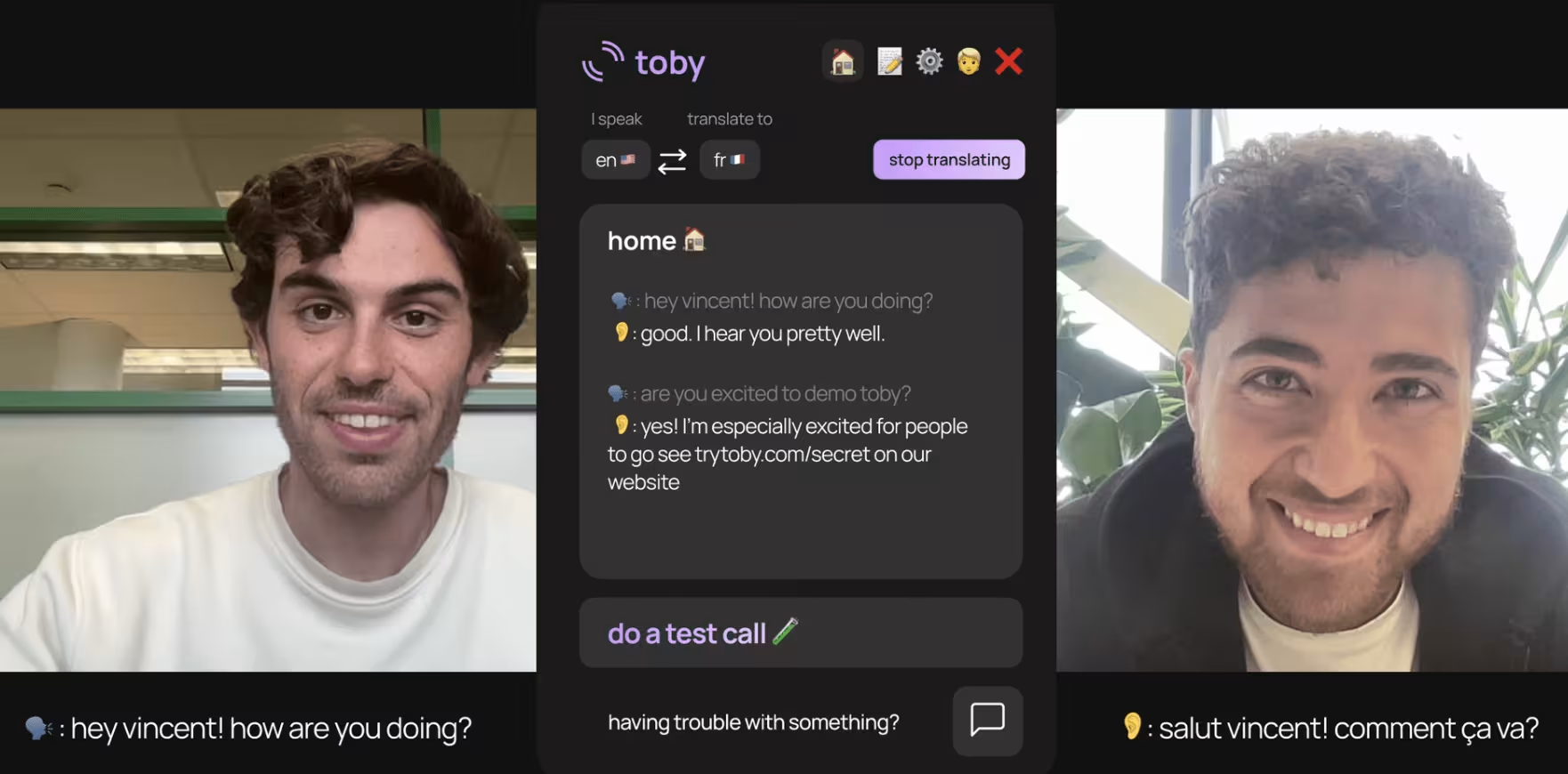
This clever desktop app provides live, two-way translation of your video call, on your preferred video service, with minimum delay.
Get spoken and heard transcripts. Plus, add a personalized glossary of commonly mistranslated words specific to your work—so you can collaborate more meaningfully with coworkers or make better impressions with leads.
Napkin
If you downloaded Napkin for iOS, you could add a particularly salient snippet from this fine newsletter, for example, to your cache of quotes, excerpts, dictated thoughts, notes, and other ideas you’ve collected and curated.
Napkin even uses AI to connect your snippets by topic and pattern, even suggesting similar ideas that match your wavelength.
The app was built on the concept of personal Sense of Coherence, helping you declutter, organize, and nurture, your ideas and values.
SEOquake
👀 Sponsor this spot to share your content with our community.
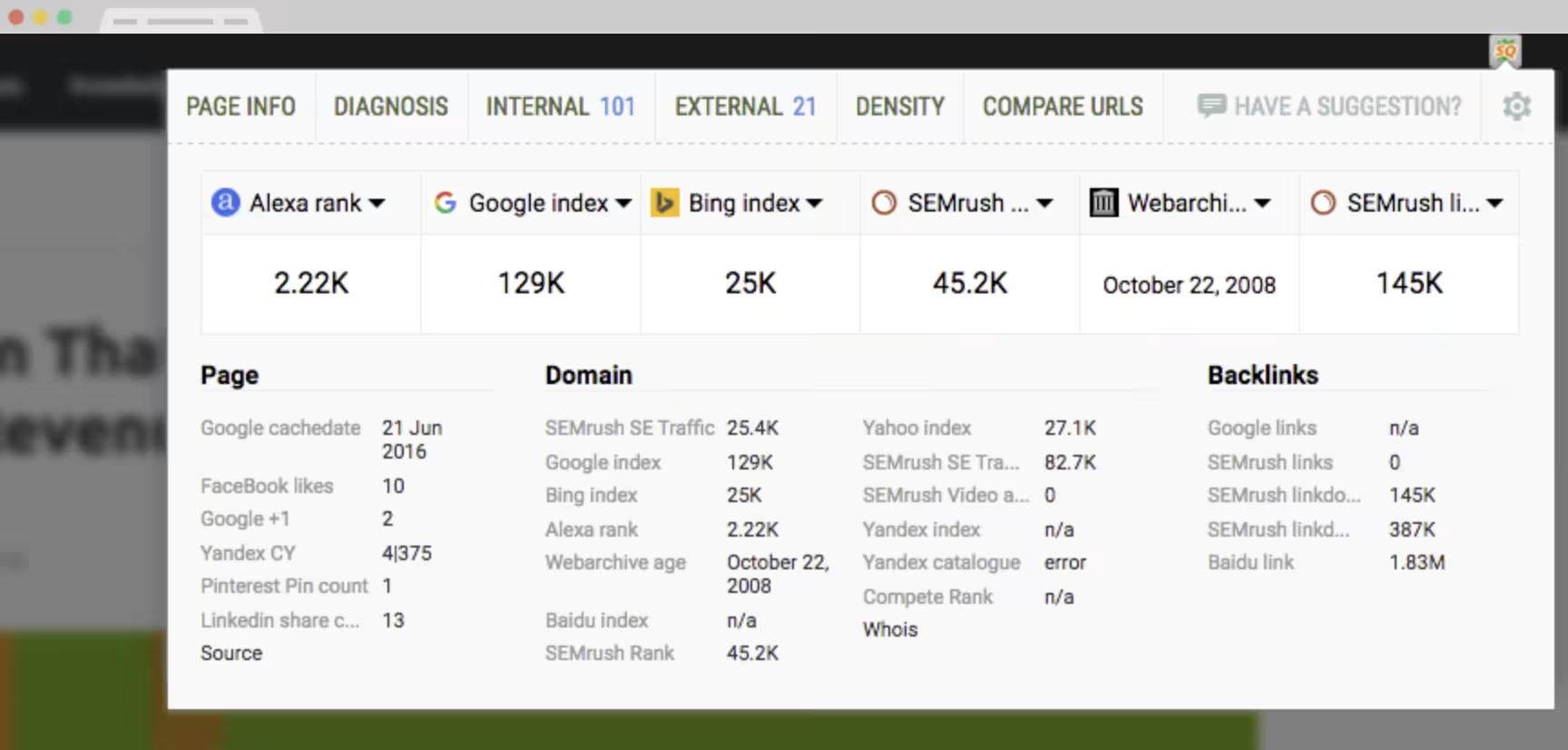
This versatile browser extension integrates with Google Search Console and Google Analytics, so you can quickly check up on SEO metrics, get on-page audits and keyword density analyses, and keep track of social metrics and other SEO parameters, too. Install for free, set your configs, and export your data into a file.
Inbox Report
You’re busy. But are you busier than 75% of professionals?
Inbox Report is a free tool that gives you a detailed analysis of your activity, like how many emails you’ve received in a set timeframe, and how your inbox stacks up against those of your peers.
There’s a lot you could do with this information, but if nothing else, it’s likely to perform well as a LinkedIn post.
Btw, your emails aren’t stored or read—just counted.

Maneken
👀 Sponsor this spot to share your product or resource with our community.
This one is a browser-powered mockup editor with a free option.
Drag and drop any media—images, videos, GIFs—into mockup templates from a huge catalog of virtually every set and setting, from in the field to in the studio.
Then, fine-tune the final version with photo effects and export web-ready assets. Slick.
Redact
Redact is the only platform that automatically deletes your old posts from over 40 services, like X, Reddit, Facebook, Discord, and more.
You set the cadence. No longer identify with anything you posted 3 months ago? Wipe it all in one centralized location. Delete DMs, posts, comments, videos, etc.
We love that you can search and delete by keyword.
AlsoAsked
Get live data and intent clustering from Google’s “People Also Asked” feature, in any region or language. Just enter a question, brand, or search query and get a chart of ~150 related questions that real users asked.
Identify zero volume keywords, understand user intent and pain points, plan your content strategically, export PNG charts and CSV files, and save your historical data.
It’s an SEO’s BFF.

Dupe
👀 Sponsor this spot to share your product or resource with our community.
The problem with most royalty-free images available for creators is that overly processed and staged photography doesn’t exactly do numbers on social anymore.
Dupe is a bank of royalty-free images, organized by aesthetic, that appeal to the current digital aesthetic: authentic, improvised, not-too-serious. It’s like having your trendy intern on-call.
Insights
View AllMarketing5 MIN READ

Top Marketing Tools That Offer Nonprofit Discounts (2026)
Rich O'Donnell
Strategy4 MIN READ

Sharpen Your Core Skills: Listening, Remembering, and Note Taking
Rich O'Donnell
Uncategorized4 MIN READ

Dialogues: Kimberly Bailey, Head of Marketing at Alpaca
Shannon Sankey
Content2 MIN READ

Know Your Audience: Avian & Saurian Edition
Rich O'Donnell
Content3 MIN READ

Which comes first, the copy or the design?
Rich O'Donnell
Content4 MIN READ

How to Speak Like a Customer—Not Your CEO
Rich O'Donnell
Content4 MIN READ

The New Search Paradigm: How Marketers Can Prepare for SGE
Shannon Sankey
Content2 MIN READ

5 Tips for Marketers Who Hate Writing
Shannon Sankey
Strategy6 MIN READ

9 Proven Tactics for ECommerce Websites to Reduce Their Cart Abandonment Rates
Ian David

