
Choose Your Adventure 🏹
Are custom algos the future?
The savvy marketer's hub for industry news, insights, resources, and culture.

Let’s talk Pomodoro.
Pomo- what? It’s called the Pomodoro Technique, which happens to be one of the simplest productivity methods to get started with.
Here’s how it works:
You can actually buy a Pomodoro (from the Italian word for ‘tomato’) timer on Amazon or just the web-based app below.
This method actually works btw. Give it a try.
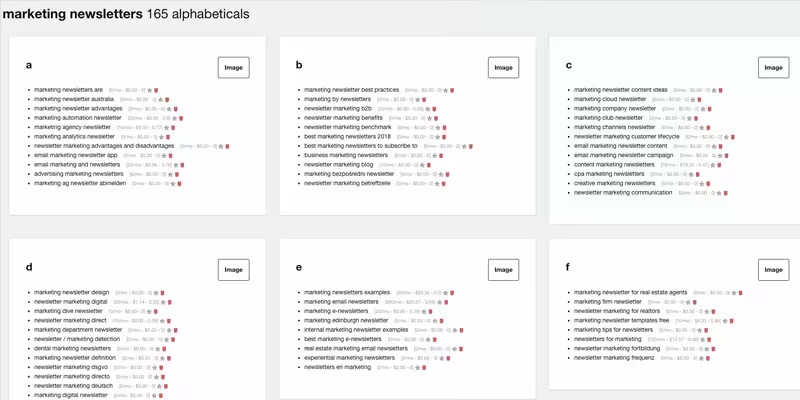
Need some content ideas? ‘Answer the Public’ could be your new best friend. This slick web-based app aggregates data from Google and Bing with an easily digestible visual of what your audience is actually searching for.
The tool allows for a few free searches throughout the day, so use them sparingly.
What we like: All of the things including the ability to export the data as a csv.
What we don’t like: So far, so good.
“…we walked to school uphill in the snow, both ways.” Today’s tool likely didn’t have anyone walking uphill in the snow both ways considering it was created in 2001.
It’s called ‘Wayback Machine’ and it allows you to search over 349 billion web pages saved over time. Wanna see the first iteration of Coca-Cola? You can do that. Flash anyone?
It’s a fun tool. Check it out below.

Now that you’re firing off IG stories right and left, how about a tool to spice them up a little bit?
Try Shakr. It’s been around for a minute, but it’s a pretty solid tool.
Pros: Tons of templates to choose from. Create a video in less than 5 minutes.
Cons: Slight learning curve.
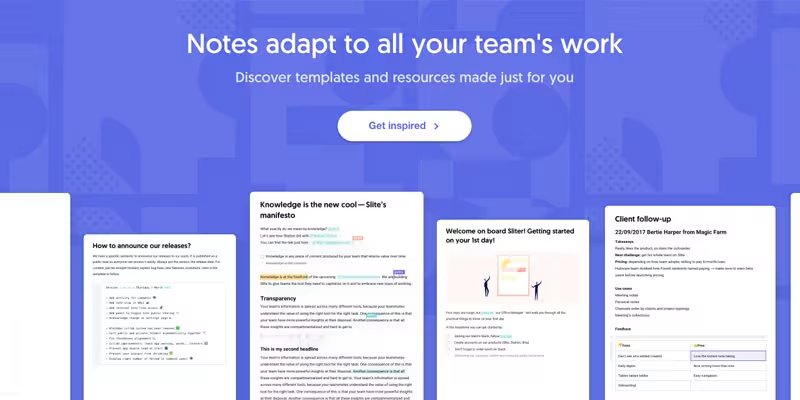
We just got turned onto this tool and are really digging it. It’s called Slite.
It’s a really useful tool for keeping your team content organized in one place. From onboarding documents to your marketing plan, Slite has a ton of templates to choose from. It’s marketed as “your company Wiki.”
Pros: Free to start. Integrates with Slack. UI is on-point!
Cons: TBD

Do you ever wish you had a clone to double your production? Today’s feature won’t allow you to clone yourself, but it’ll definitely make you more productive.
It’s called GenM.
Here’s the skinny:
For $49/month, you get 10 hours of work per week from a fully trained marketing apprentice. Yes, this is real.
Pros: This is a great service to vet entry-level work without the risk of a full-on hire. The price is unbeatable.
Cons: None so far.
Head over to GenM and find your ideal marketer today.
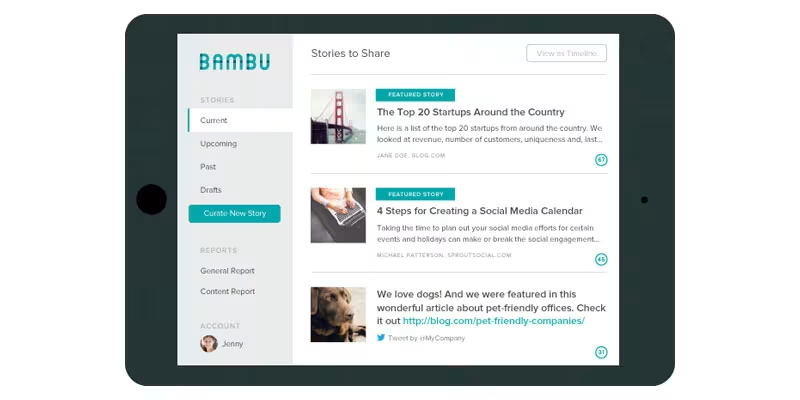
Remember ‘Step 1’ from above? It was all about getting your employees to engage on LinkedIn.
But, if only there was a tool to make that process easier…
Enter Babmu. Babmu allows employees to easily find company content to share in one place. This tool is 🔥.
What we like: This tool is multifaceted. Not only does it allow your team to easily share company posts, but it’s also a great way to educate employees on company happenings.
What we don’t like: The reporting side of things could be better.
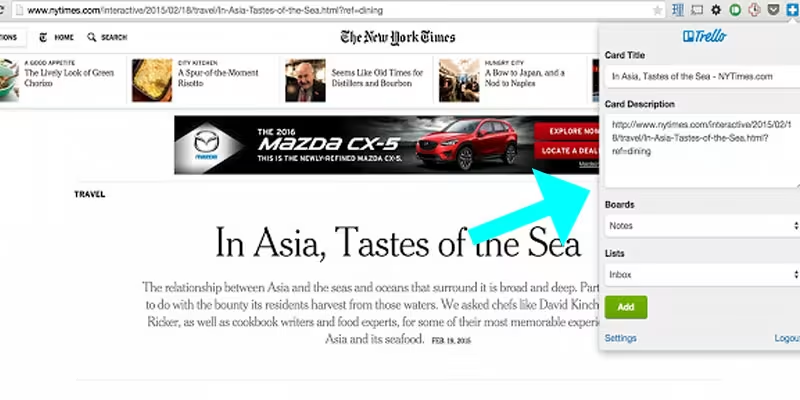
Calling all Trello users! We got a sweet Chrome extension for ya.
Add to Trello does just that.
Let’s say you’re sourcing out some content for a new board. Add to Trello will create new cards directly from your browser.
What we like: It’s quick and easy.
What we don’t like: So far, so good.
That’s exactly what today’s tool is called. This nifty Chrome extension is 🔥. It allows you to capture your screen and even record it if you need to.
We’re big fans. Give it a try.
What we like: You can capture the entire website. It actually does the scrolling for you. Edit, annotate and crop with ease.
What we don’t like: There’s no erase tool and capturing the entire screen can be buggy at times.

Rich O'Donnell

Rich O'Donnell

Shannon Sankey

Rich O'Donnell

Rich O'Donnell

Rich O'Donnell

Shannon Sankey

Shannon Sankey

Ian David


