
The Daily Carnage
The savvy marketer's hub for industry news, insights, resources, and culture.
Issues
View All
Aboard
Aboard turns your browser tabs, pics, docs, and more into organized boards of “cards” that you can visit and collect with intention. The opportunities for work and personal flow are endless — leads, books to read, shows to watch, apartments to tour, itineraries, competitive research, directories, recruiting — you name it. Plus, when you add the browser extension, you can add a card anywhere with one click.
Multi-Edit in Figma
Figma fans, rejoice. Mutli-edit is finally here.
This long-awaited feature lets you select and edit multiple objects across frames and component sets at once. Find and select matching layers, resize and align them to their frames, batch edit text boxes, make changes to all variants at once, and more.
Test it out:
- ⌘ Command + ⌥ Option + A to select all matching objects.
- Shift drag to select specific matching objects
- Select multiple text objects and hit enter to multi-edit text.
- Select a component set and hit Q to enter multi-edit mode for variants.
Magic ToDo
You know what sucks? When you have an item on your to-do list that seems simple enough—create a social strategy, for example—but in practice, it represents a dozen other preliminary tasks and days of work before you can cross it off.
Magic ToDo automatically breaks down your items into steps based on the granularity (or “spiciness level”) you require. Top level tasks are assigned a category and emoji, which you can filter. Edit, remove, or add subtasks. Magic ToDo can even estimate time commitments for you.
Thanks to Chelsea from The Daily Carnage Facebook group for recommending this one.
Superhuman
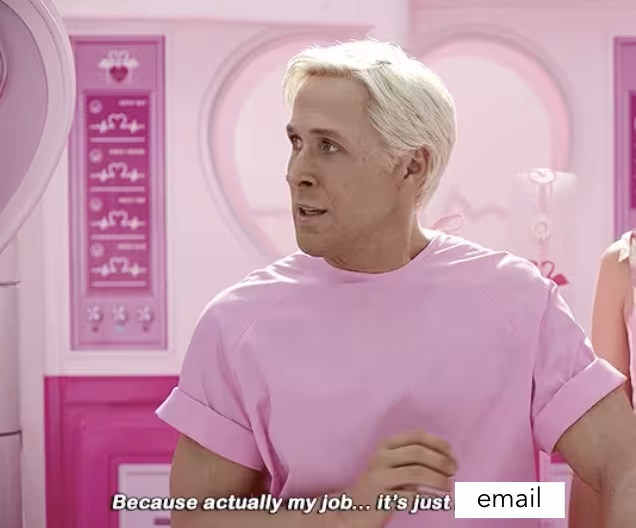
Dreaming of inbox zero again? Superhuman AI is cool because it writes emails for you, summarizes long conversation threads, responds to voice commands, and generates instant replies based on your cues. This last feature might sound familiar—you’ve seen Gmail’s auto-reply suggestions—but Superhuman AI drafts an entire response, matching the existing tone in the thread.
OneSignal
Drive and engage loyal customers with OneSignal, the messaging platform that over 1 million businesses use (for good reason). Send mobile push notifications, web push, SMS, email, and in-app messaging. Get set up in 15 minutes, segment your audiences, automate and test your messaging, and analyze the results.
Record in Google Slides
New Google Slides feature unlocked!
You can now record presentations of your slideshow from Google Chrome without downloading a new tool or extension. Just open your file, click record, and configure your settings. Resize and move the video vignette on your slides, pause and re-record, and access saved recordings right in Drive.
Strut
AI shouldn’t complicate or obfuscate your writing. It should sharpen it.
Strut is an all-in-one, collaborative writing hub to capture and organize your notes, drafts, outlines, and brainstorms. Its flexible, customizable interface lets you view your projects in the visual organization of your choice.
Strut’s AI works alongside you in the right-hand panel to respond to prompts, rewrite selected copy, adjust tone, and cut or expand word count. And yes, it corrects your spelling and grammar, just like its predecessors. Write on.
drawcharts
Ok, this is seriously cool. Transform your data into hand-drawn charts and visuals with drawcharts. Just select your chart type, define and populate your axes, title it, and export it in your preferred format. With the Pro account, you can import CSV files and add watermarks, too. It’s just like you drew it up.
Google Annotations for Email Marketing
If your Gmail open rates are dismal, there’s a way to stand out in the Promotions tab that you might not know about.
Google Annotations lets you use markup to add elements—like discounts, expiration dates, carousel images, and more—to your marketing emails. These enhanced, clickable elements appear under your preheader text and can encourage users to open your email.
You’ll need to get approved by Google to begin using Annotations, but it’s worth it—this feature is still underutilized, giving you an opportunity to stand out in a crowded inbox.
Insights
View AllMarketing5 MIN READ

Top Marketing Tools That Offer Nonprofit Discounts (2026)
Rich O'Donnell
Strategy4 MIN READ

Sharpen Your Core Skills: Listening, Remembering, and Note Taking
Rich O'Donnell
Uncategorized4 MIN READ
Dialogues: Kimberly Bailey, Head of Marketing at Alpaca
Shannon Sankey
Content2 MIN READ
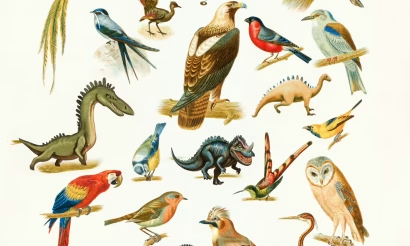
Know Your Audience: Avian & Saurian Edition
Rich O'Donnell
Content3 MIN READ

Which comes first, the copy or the design?
Rich O'Donnell
Content4 MIN READ

How to Speak Like a Customer—Not Your CEO
Rich O'Donnell
Content4 MIN READ

The New Search Paradigm: How Marketers Can Prepare for SGE
Shannon Sankey
Content2 MIN READ

5 Tips for Marketers Who Hate Writing
Shannon Sankey
Strategy6 MIN READ

9 Proven Tactics for ECommerce Websites to Reduce Their Cart Abandonment Rates
Ian David