The Daily Carnage
The savvy marketer's hub for industry news, insights, resources, and culture.
Issues
View All
Google Notes
Wanna be part of an experiment?
Google Notes is a Search Labs opt-in experience that lets you annotate search results for other users and illuminate your own queries with community knowledge, tips, and other useful human insights. Once you opt in, you’ll see a “Notes” button below search results in the Google app, where you can find helpful context (“This recipe was sneakily spicy, here’s how I would tone it down next time!”) Notes can include stickers, photos, and different visual styles.
Will Google Notes stick around? Who knows. But it’s part of Google’s larger project to retain human expertise in an increasingly AI-driven search experience.
ClickUp AI
ClickUp has embraced AI in a new suite of project management features, like individualized AI templates based for every role on your team, from customer support to product and engineering. Get instant summaries of meeting notes and comment threads, and generate action items with one click. Plus, you can use AI within the interface to brainstorm, draft, edit, and elevate your writing. It’s $5 / month per member, with a mobile app on the way.
Forget
If you have ADHD or you just struggle with object permanence, Forget might be the productivity tool for you. It’s a timed to-do list that stays on your screen and holds your focus while you tackle one task at a time. You get a progress report at the end of the day, and it rains emojis every time you get something done. Btw, it’s free.
Milanote
This one’s for you, visual thinkers. Milanote is like a cork board for your digital to-dos, sticky notes, jpegs, PDFs, and more. You can use the Web Clipper feature to grab text and images from anywhere, and you can keep collecting in the mobile app. Drag and drop objects, draw on top, and share your ideas with collaborators. Brb… making a mood board.
Microsoft Loop
Microsoft’s collaboration and task management tool—Microsoft Loop—is finally available to everyone. Is the digital canvas as good as Notion? Not yet. But you won’t have to open Word, Excel, or Google Docs externally to work and co-create. Plus, Loop’s AI CoPilot helps you kickstart and collaborate on projects and refines your ideas with suggestions. Worth a test run if you’re team is already jamming on the Microsoft suite.
TikTok Creative Cards
TikTok has launched a new resource for content creators called Creative Cards. You can shuffle through this data-informed “deck of cards” for prompts, strategic insights, and inspiration for videos. Categories include Community, Creator Tools, Trends, Storytelling, and Edutainment. You read that right.
Rask
Rask uses AI to translate and dub voiceover for your video content in 130 languages. But it’s not just some uncanny synthetic AI voice. Rask’s VoiceClone technology allows you to match your subject’s real voice in another language, so your work authentically connects with your audience.
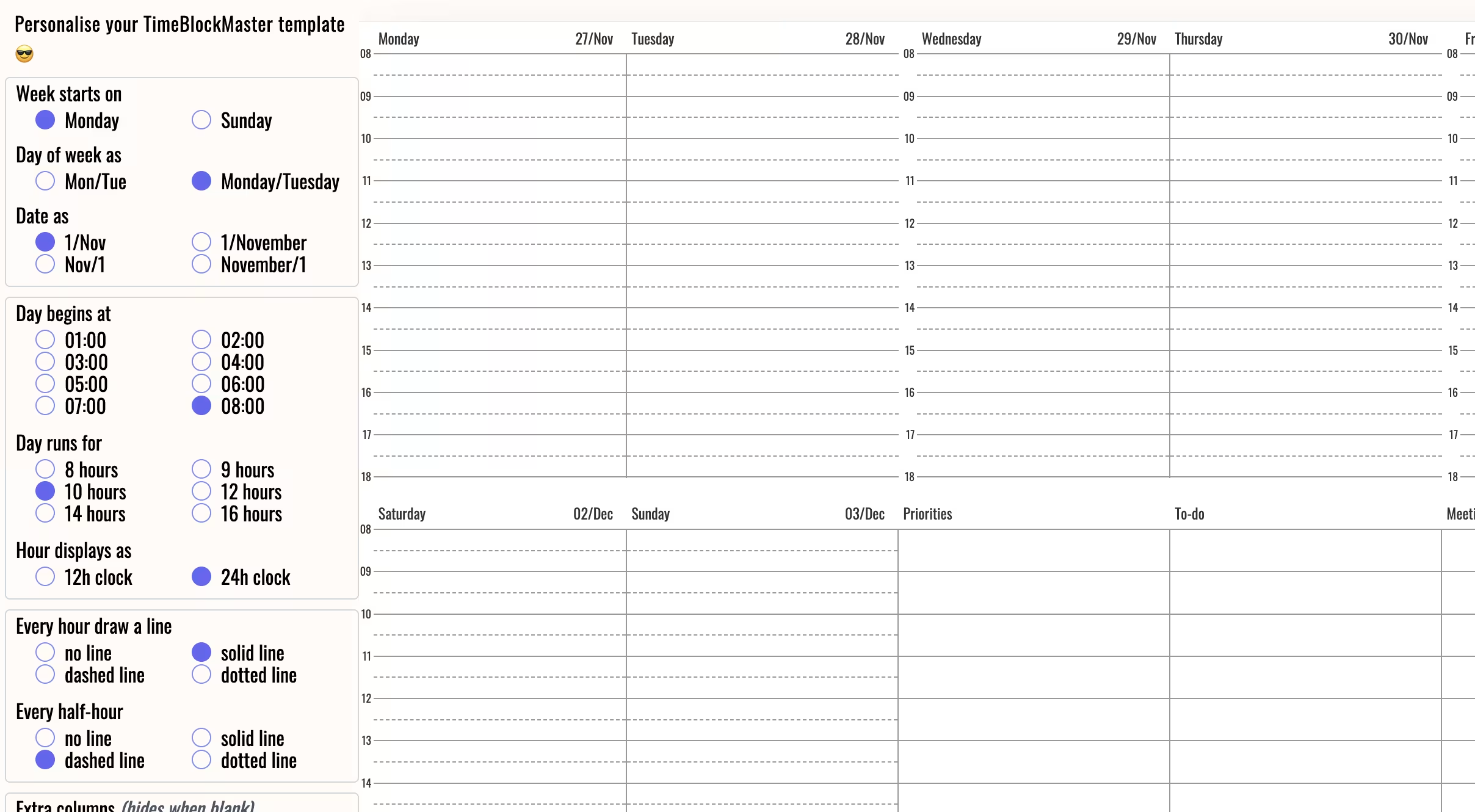
TimeBlockMaster
Time-blocking is a scheduling method to help boost productivity by dividing your day into blocks of time in which you complete similar tasks. For instance, knocking out all of your admin stuff in one thirty minute block (lol).
For $14 per year, you can get started with 52 customizable, printable weekly templates for analog planning, plus access to an online app for digital planning.
Reflect
It’s a Notes app but with the power of GPT-4 and Whisper from OpenAI. Reflect can help you access and organize your creativity and thought process, transcribe voice notes, generate outlines from your notes, give you takeaways and action items (!), and improve your writing along the way.
Insights
View AllMarketing5 MIN READ

Top Marketing Tools That Offer Nonprofit Discounts (2026)
Rich O'Donnell
Strategy4 MIN READ

Sharpen Your Core Skills: Listening, Remembering, and Note Taking
Rich O'Donnell
Uncategorized4 MIN READ

Dialogues: Kimberly Bailey, Head of Marketing at Alpaca
Shannon Sankey
Content2 MIN READ

Know Your Audience: Avian & Saurian Edition
Rich O'Donnell
Content3 MIN READ

Which comes first, the copy or the design?
Rich O'Donnell
Content4 MIN READ

How to Speak Like a Customer—Not Your CEO
Rich O'Donnell
Content4 MIN READ

The New Search Paradigm: How Marketers Can Prepare for SGE
Shannon Sankey
Content2 MIN READ

5 Tips for Marketers Who Hate Writing
Shannon Sankey
Strategy6 MIN READ

9 Proven Tactics for ECommerce Websites to Reduce Their Cart Abandonment Rates
Ian David

