
The Daily Carnage
The savvy marketer's hub for industry news, insights, resources, and culture.
Today’s Issue
Trending
Daily IssueAugust 10, 2026
Google is changing the Smart Bidding game
StrategyAugust 10, 2026
The AI SEO Checklist: How to Stay Visible in the Age of AI Search
The Daily Carnage ShowJuly 29, 2026
Ep #2.14: Google Image Search is… Pinterest?
The Daily Carnage ShowJuly 26, 2026
Sony & The Death of Physical Media
Issues
View All
3 Ways to Regain Scheduling Control
JUNE 20, 2019Fun fact: Studies show that the average professional spends almost five hours per week scheduling meetings. 😱
That’s nearly 20 hours per month.
That’s a lot of time! And we all know that time is money.
So, today we’re recommending a few ways to minimize your time spent scheduling and regain control of your calendar.
The Do-It-Now scheduling method is exactly like it sounds. You schedule everything in real-time, at the very moment of request. Not only will this save you a ton of time, it’ll make things significantly easier for you.
You’re probably thinking, wait a second, there are too many moving parts with scheduling, like multiple calendars, emails, timeframes, etc.
We would’ve agreed with you a few years ago, but, today, thanks to smarter productivity tools, there are new ways to schedule that remove these barriers to real-time scheduling.
- Use your phone to schedule: We’re guessing most of you aren’t literally attaching your phone to your hip (sorry Dad), but there’s a good chance it’s always within reach. To reduce time spent scheduling, download a mobile scheduling app. *Hint: check out the tools section below. 👇🏽
- Share your free and busy times: A big deterrent to real-time scheduling is the inability to know when someone is available. This problem is what creates those endless rounds of scheduling emails. Stop the guessing game by using a calendar link tool so folks can see when you’re busy or free.
- Text it: The average person sends almost 95 texts per day. When it comes to real-time scheduling, the ability to set-up a meeting without leaving your text thread is paramount.
How to Write a Great Email Signature
JUNE 18, 2019If you’re anything like the average office worker, you’re sending out about 40 emails per day.
Think about this…
40 emails per day equal 40 opportunities to market yourself.
So, how do you market yourself through email?
Your email signature.
More often than not, our signatures are an afterthought.
Here are a few ways to create a better email signature:
- Focus on your name, affiliation, and secondary contact information: Your name should always come first. Following your name is your affiliation, which could be your job title, your employer, school, etc. Depending on the context of your signature, consider adding your personal website or phone number.
- Don’t go crazy with color: There’s nothing wrong with a pop of color to stand out, but try to keep it simple by sticking to one or two.
- Include a call-to-action: Your email signature should always include a CTA. It shouldn’t be salesy or pushy, but it should intrigue people to click through. Update your CTA on the regular.
- Track your links: Always be tracking. Head over to Bitly.com and create some custom links to see if folks are clicking through.
- Let people book time on your calendar directly from your signature: If you spend a lot of time booking meetings, consider adding a scheduling link.
Alright, you got some work to do. Hubspot offers a free email signature generator if you’re looking for an assist. Check it out here.
The Top Types of Images to Post on Instagram
JUNE 17, 2019Do you ever find yourself posting just to post?
We work with a lot of clients who tell us, “we heard we should be on Instagram, but we really don’t know what to post on it.”
While there are no hard and fast rules on what you should be posting, the following types of images perform the best.
- UGC: Or user-generated content. UGC not only shows social proof, but it’s one of the best types of images to resonate with your audience. Why? Because it’s real and people like real.
- Behind the scenes: Similar to the gag reel at the end of the movie, people love behind the scenes content. Don’t overthink your behind the scenes content. Your goal is to remain as authentic as possible.
- DIY images: Depending on your product or service, you may need to get creative here, but DIY and educational content always perform well.
- Influencer images: Influencer marketing is showing no signs of slowing down. Consider reaching out to a micro-influencer (1k to 100k followers) to start.
- Motivational images: Look no further than the Nike IG handle for this one. If you’re sharing motivational images, think about people who have overcome the odds, underdogs, inspiring stories, etc.
- Contest images: If you’re looking to drive more engagement and followers, contest images continue to be a solid path. To make a contest more impactful, try to partner up with a few brands.
Your Search Intent Guide
JUNE 16, 2019It’s that time…
If you’re new here, we talk about SEO stuff every Monday.
You’ve probably heard about search intent a time or two. We’re gonna break it down with a quick and easy guide.
What the heck is search intent?
Think of search intent as the goal of the person using the search engine. Search intent is crucial for a solid SEO strategy.
There are 3 types of search intent:
- Informational Searches: Let’s say you want to build your own planter box. You’d likely search for “how to build a planter box.” This type of search is informational. Think of it as the research phase. You likely aren’t converting with an informational search.
- Transactional Searches: Ok, now you’re ready to make a purchase. A transactional search would be something like, “best coffee makers under $100.”
- Navigational Searches: Let’s say you want Lululemon shorts. You’d likely search for ‘Lululemon shorts.’ This is a navigational search because your user already knows where they’re going.
Google put their own spin on the original search intent distinctions with the following:
Know (informational), Do (transactional), and Go (navigational).
If you wanna nerd out and see how Google defines these 3 types of searches, head over to the quality rater guidelines here.
Now that you know more about search intent, make sure you check out the tool section below to make know, do and go actionable. 👇
Add More Context to Your Content
JUNE 12, 2019The glory days of 100% reach across social platforms are long gone. 😢
You know this already though.
According to Sprout Social, brands are seeing a median engagement of 0.09% per Facebook post and 1.60% per Instagram post.
Despite the numbers, consumers are still taking to social to interact with their favorite brands.
It’s up to us marketers to keep them engaged and rethink how to make social work. One of the best ways to encourage consumers to go beyond the content is to provide more context.
Here are a few ways to rethink the current context of your content. Say that fast 5 times!
- Change up the headline: Rather than copying and pasting your post headline, consider mixing it up. You can do this through quotes, statistics, challenges/solutions, and/or takeaways. Encourage clicks by leading with the most intriguing part of your article.
- Better imagery: Grabbing a stock image from Unsplash and calling it a day ain’t gonna cut it anymore. It’s time to reconsider how you’re using images in your posts. Here are a few ways to mix it up:
- Incorporate words: Use quotes and stats directly from the article.
- Add motion: GIFs are a great, simple way to show variations in one update with your product or service (and people love them).
- Tell a story: With carousels and galleries, telling a story with images is easier than ever. Check out what CHANEL did for Mother’s Day here.
- Use whitespace: Less is more. To avoid overwhelming your customers with oodles of text, consider using as much space as possible without using more words.
Dive in deeper below.
Write Better Instagram Captions
JUNE 12, 2019What’s in a caption?
Apparently a lot, according to Instagram.
If you remember back in January, IG dropped some knowledge on how the algorithm works.
Here’s what they said:
“What shows up first in your feed is determined by what posts and accounts you engage with the most, as well as other contributing factors such as the timeliness of posts, how often you use Instagram, how many people you follow, etc. We never hide posts from people you’re following – if you keep scrolling, you will see them all. Again, your feed is personalized to you and evolves over time based on how you use Instagram.”
So, how do you continue to show up higher in the feed?
Strong(er) captions.
Here are a few tips:
- Caption length: Instagram gives you 2,200 characters and up to 30 hashtags to use per post. If you can provide 2,200 characters worth of value, do it. A good rule of thumb though is always quality over quantity.
- Front load your caption: Users only see the first two lines of text when scrolling. It’s crucial to lead with the hook of your caption in order to get a click to read ‘more.’
- Include a call to action or question: What do you want your followers to do? Ask that simple question before each post. Whether it’s a click to the link in your bio, a re-share, or a like, your goal is to encourage engagement on every post.
- Draft your posts elsewhere: Consider opening up ‘Notes’ or ‘Google Docs’ to draft your Instagram posts. It will allow for more distraction-free writing.
- Don’t be a robot: Write your captions like you’re talking to your friends. Instagram is meant to be conversational, so try to be as natural as possible.
How to Use User Generated Content to Drive Sales
JUNE 10, 2019The proof is in the pudding. Or so they say.
How about letting your users create the pudding?
We’re talking about UGC or user-generated content. We’re assuming you’re familiar already, but if not, user-generated content is content that promotes a brand that was created by an end user and not the brand itself.
UGC is an extremely powerful way to build trust among prospective customers and drive conversions. In fact, consumers are 2.4 times more likely to view user-generated content as authentic compared to content created by brands.
Why should you use UGC?
- Encourage authenticity: No matter how hard you try to make your content seem genuine, consumers will always be a little skeptical. When your customers are the ones creating the content, the game changes. Take BMW for example. They created the hashtag, #BMWrepost, which encouraged folks to share their cars in the wild. This gave BMW the opportunity to curate content based around their own customers.
- Drive Purchases: UGC gives customers the ability to visualize what a purchase might look like before purchasing it. Zenni Optical tries to overcome the friction of purchasing glasses online by showcasing users using particular frames right on the product page. It helps potential customers get an idea of the size, shape, color, etc. of the frame before they buy it themselves.
- Build Trust: What you see is what you get, right? Not always. Airbnb has faced its fair share of horror stories about their service. Through sharing content directly from guests, potential customers can see firsthand how others are satisfied from using their service.
Ready to fire up a UGC campaign? Learn how to foster UGC by clicking the button below. 👇
6 Things to Check Before You Publish a Post
JUNE 10, 2019Happy Monday folks.
We’re back at ya with our crowd favorite SEO Monday section.
Today, we’re talking about 6 things to check before you publish a post.
Let’s face it…
Writing quality content that ranks is no joke. It’s time-consuming and sometimes feels like an uphill battle.
We’re assuming you’ve already done the hard part. Your keyword research is complete, your article is structured properly and you’re finally ready to hit the publish button.
Make sure to check these 6 things before you share your article with the world.
- What’s the Main Topic?: Do a quick scan of your article. Can your reader instantly tell what the main topic is? Make sure your subheadings fit the topic of your post.
- Length of Paragraphs: Readers get overwhelmed looking at lengthy paragraphs. Ideally, you’ll have 5-6 sentences per paragraph.
- Are There Internal Links? Internal links are important. Consider linking to similar articles or cornerstone content.
- Did You Include a CTA?: What do you want folks to do after reading your article? Make sure you’re including CTAs on all articles.
- Did You Use Transition Words?: Transition words are words like ‘and’, ‘but’, ‘so’ and ‘because’. These words make it easier for your audience to understand how your ideas are connected.
- Categories and Tags: When done correctly, categories and tags will help your SEO. Learn how to properly set them up here.
What’s in a Welcome?
JUNE 6, 2019Email marketing is valuable. You know this already.
Giving your personal email these days is like sharing your flask at a dry wedding (or something like that).
Here’s the thing though…
Over 50% of businesses don’t send a welcome email. That’s pretty staggering.
Here are a few simple tips for writing welcome emails.
- Welcome and Thank Your Subscribers: Back to the flask analogy. If you’re sharing your flask with someone, there’s a good chance you’ll spend a few minutes getting to know them. Email is no different. The average open rate for a welcome email is 50%. This is your chance to set the tone. When someone signs up for your list, make sure you send them a personalized welcome email. The goal is to make them feel special.
- Set Expectations: Let your new subscriber know what they can expect from you moving forward. How many emails will they get? How can they learn more about you? Your goal is to provide clarity.
- Don’t Do Too Much: The average welcome email sequence is 4-5 emails. Your first email should be focused on a high-value action. You’ll use subsequent emails to educate and share your story.
- Don’t Overthink the Design: It’s easy to get caught up with the design. We’re not suggesting clipart graphics, but consider keeping it simple. There’s nothing wrong with a logo in the header and text below it.
- Get Social: Here’s a low-hanging fruit. Include your social links in your welcome email. This will give your subscriber a chance to connect with you outside of email.
Insights
View AllStrategy7 MIN READ

The AI SEO Checklist: How to Stay Visible in the Age of AI Search
Ana Toigo
Marketing5 MIN READ

Top Marketing Tools That Offer Nonprofit Discounts (2026)
Rich O'Donnell
Strategy4 MIN READ

Sharpen Your Core Skills: Listening, Remembering, and Note Taking
Rich O'Donnell
Uncategorized4 MIN READ
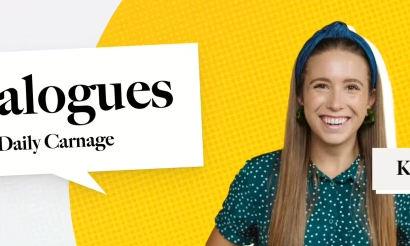
Dialogues: Kimberly Bailey, Head of Marketing at Alpaca
Shannon Sankey
Content2 MIN READ

Know Your Audience: Avian & Saurian Edition
Rich O'Donnell
Content3 MIN READ

Which comes first, the copy or the design?
Rich O'Donnell
Content4 MIN READ

How to Speak Like a Customer—Not Your CEO
Rich O'Donnell
Content4 MIN READ

The New Search Paradigm: How Marketers Can Prepare for SGE
Shannon Sankey
Content2 MIN READ

5 Tips for Marketers Who Hate Writing
Shannon Sankey