
The Daily Carnage
The savvy marketer's hub for industry news, insights, resources, and culture.
Issues
View All
Legal Lullabies
Can’t sleep? We’ll bet you’re out like a light after 10 minutes of listening to an actor softly reading Instagram’s Terms of Service, which you could probably use a refresher on anyway. It’s kind of like a relaxing podcast to have on in the background while you work, too. There’s even a version for TikTok. No promise that your dreams won’t be weird after this, though.
SnapTik
Gotta turn that TikTok into a Reel? If you don’t have the original file, you’re working with a watermarked video, which is not only a little sloppy but probably bad news for the algorithm. Use a browser tool like SnapTik to download a watermark-free version of your video (or any video) and you’re in business. It’s lightning quick — you just need a URL.
Gen Z Music Lineup
Google’s new ad tool is designed to help you connect with 18- to 24-year-olds, who are “shaping the zeitgeist” as we speak. Google uses frequently refreshed YouTube data to package trending songs and music videos together, so you can inject your brand into the ever-evolving hype.
Circleback
You know how you try to be present at work meetings by taking comprehensive notes, but instead you end up trailing 15 seconds behind and missing the important stuff?
Circleback is an AI-powered transcription tool that automatically joins your Google Meet, Teams meeting, Zoom, etc. It quickly generates a surprisingly accurate and searchable transcription of your meeting. Plus, you can request a summary or ask Circleback questions like “What is the deadline for this deliverable?”
Maybe try “Couldn’t this meeting have been an email?”
Docs Online Viewer
Is your Downloads folder a graveyard of PDFs you thought you needed? Same. This Chrome extension puts a little cloud icon next to PDFs in your SERPs, allowing you to view them directly from your browser. No downloads. No email signups required to view.
GoFullPage
This little Chrome extension lets you capture an entire SERP in one screenshot, so you can reference and compare results over time, create before-and-afters, test results for different users and devices, and any other application you can think of.
Copy Selected Links
This Chrome (and Firefox) extension comes in handy when your spreadsheet has a column for linked article titles, but you want to add a column with the full URLs, too. Typically, you’d need to right-click and copy each URL into a new cell, but Copy Selected Links lets you do this all in one step.
Vimeo One-Take Video Editor
Vimeo’s new features include an AI-powered script generator that works in seconds (just supply a prompt, duration, and tone), a built-in teleprompter, and a text-based video editor to save you time in post. Delete your ums and ahs and edit clips all via text. For those of us who are too busy to fuss about sound mixing, you know?
Safari Tab Groups
Any Safari users out there with a million tabs open? If you’re not using Tab Groups, you’re going to want to start. It’s simple: this feature lets you group certain tabs together to set aside for later, so you can separate work browsing from your online shopping habit. Or if you’re slammed with work, you can organize your tabs by assignment or client.
Insights
View AllMarketing5 MIN READ

Top Marketing Tools That Offer Nonprofit Discounts (2026)
Rich O'Donnell
Strategy4 MIN READ
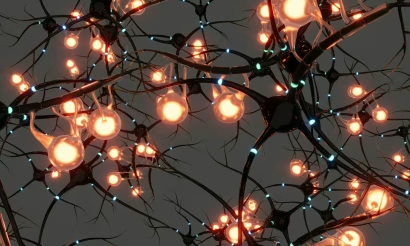
Sharpen Your Core Skills: Listening, Remembering, and Note Taking
Rich O'Donnell
Uncategorized4 MIN READ
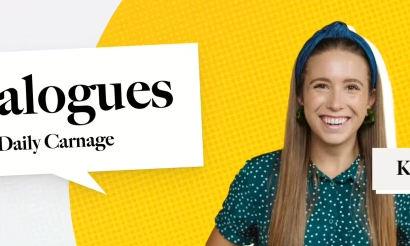
Dialogues: Kimberly Bailey, Head of Marketing at Alpaca
Shannon Sankey
Content2 MIN READ
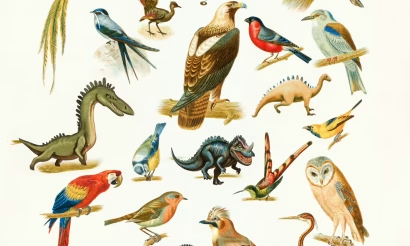
Know Your Audience: Avian & Saurian Edition
Rich O'Donnell
Content3 MIN READ

Which comes first, the copy or the design?
Rich O'Donnell
Content4 MIN READ

How to Speak Like a Customer—Not Your CEO
Rich O'Donnell
Content4 MIN READ

The New Search Paradigm: How Marketers Can Prepare for SGE
Shannon Sankey
Content2 MIN READ

5 Tips for Marketers Who Hate Writing
Shannon Sankey
Strategy6 MIN READ

9 Proven Tactics for ECommerce Websites to Reduce Their Cart Abandonment Rates
Ian David