Reach The Daily Carnage audience with a customizable sponsorship.
Be in The Know
- Google’s core update targets genAI spam. So, should we still be using AI for content?
- Did you catch Skims’ first TV ad last night? Here’s Kim K’s primetime strategy.
- Report: Women with lighter skin tones appear in advertising 4x more than darker-skinned women.
- Google has released Meridian to help marketers make better use of marketing mix modeling (MMM).
MrBeast’s Impressive Email Strategy
MrBeast, popular YouTuber and entrepreneur, boasts some impressive email marketing stats:
- 200,000 subs
- 2,000,000 total clicks
- 10 average clicks per recipient
- +100% higher click rate (vs 180-day average)
- +200% higher CVR (vs 180-day average)
So… what’s this guy putting in his “Feastables” emails anyway? And how can you replicate it? Here’s what Marketing Examined learned:
- Use an email engagement tool to build custom elements that engage subscribers right in the inbox and collect loads of data on user preferences.
- Include a survey in your welcome flow, since subscribers are highly likely to open welcome emails.
- As always, segment, optimize, and personalize based off the data you collect.
- Consider email like an engagement channel. Subscribers look forward to contests, games, and giveaways.
- Incentivize clicks to improve deliverability and engagement.
- Create opportunities for fans to engage with your brand in order to boost affinity.
Check out some examples of “Feastables” emails in action.

Q for You
Marketers, do you use Figma?
Multi-Edit in Figma
Figma fans, rejoice. Mutli-edit is finally here.
This long-awaited feature lets you select and edit multiple objects across frames and component sets at once. Find and select matching layers, resize and align them to their frames, batch edit text boxes, make changes to all variants at once, and more.
Test it out:
- ⌘ Command + ⌥ Option + A to select all matching objects.
- Shift drag to select specific matching objects
- Select multiple text objects and hit enter to multi-edit text.
- Select a component set and hit Q to enter multi-edit mode for variants.
2024 Marketing Trends Report
Download the 2024 Marketing Trends Report to start leveraging the right channels for your brand.
Ads from the Past
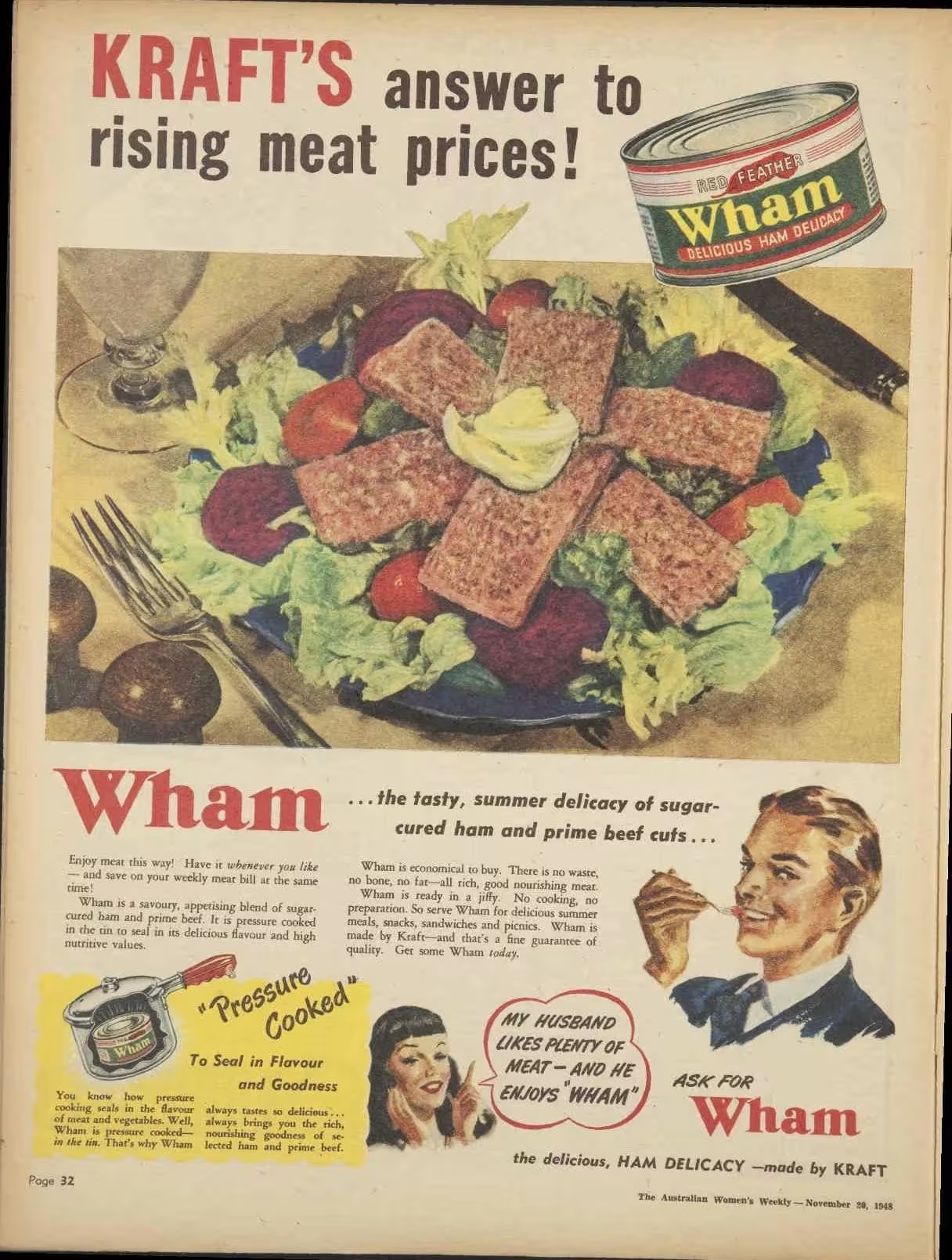
Kraft, 1948